AERONET Instrument Troubleshooting Interface - Solutions for A AND K DISCREPANCY Flag
Description Non-T Cimel instruments contain two silicon (Si) detectors, each viewing the sun through a separate hole in the collimator. Under normal conditions, the readings from these two detectors should agree within expected tolerances. This flag is raised when a significant difference is detected between them, most commonly caused by an obstruction in one of the collimator tubes. A spectral discrepancy between the detectors may prevent processing the data to Level 1.5.
Condition(s) Instruments with Silicon Detectors Only: Estimate A and K from PP and almucantars measurements when Level 1.5 AOT data are available. Do not flag if at least in 2 instances for 440nm channel of A are within 10% from K.
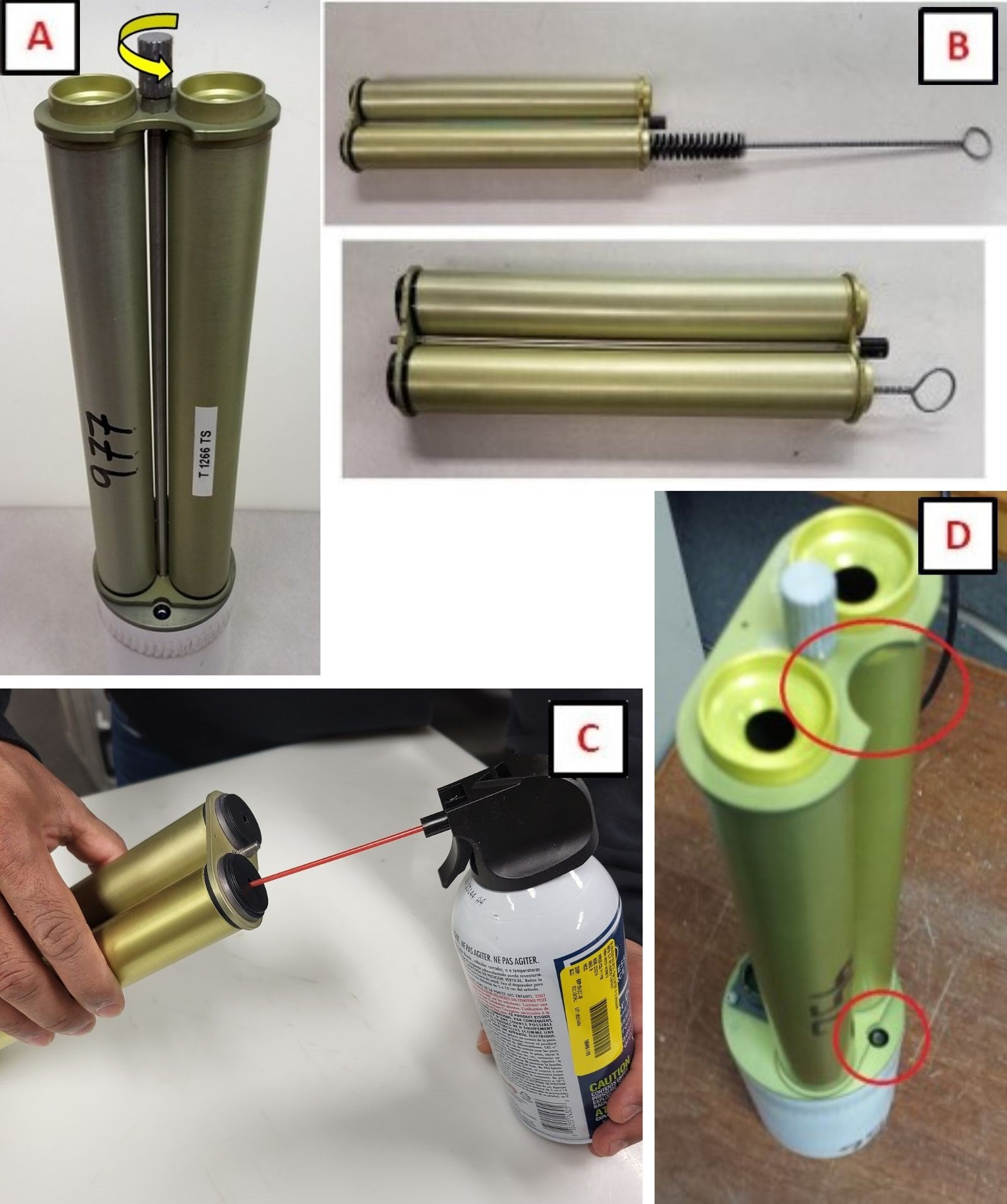
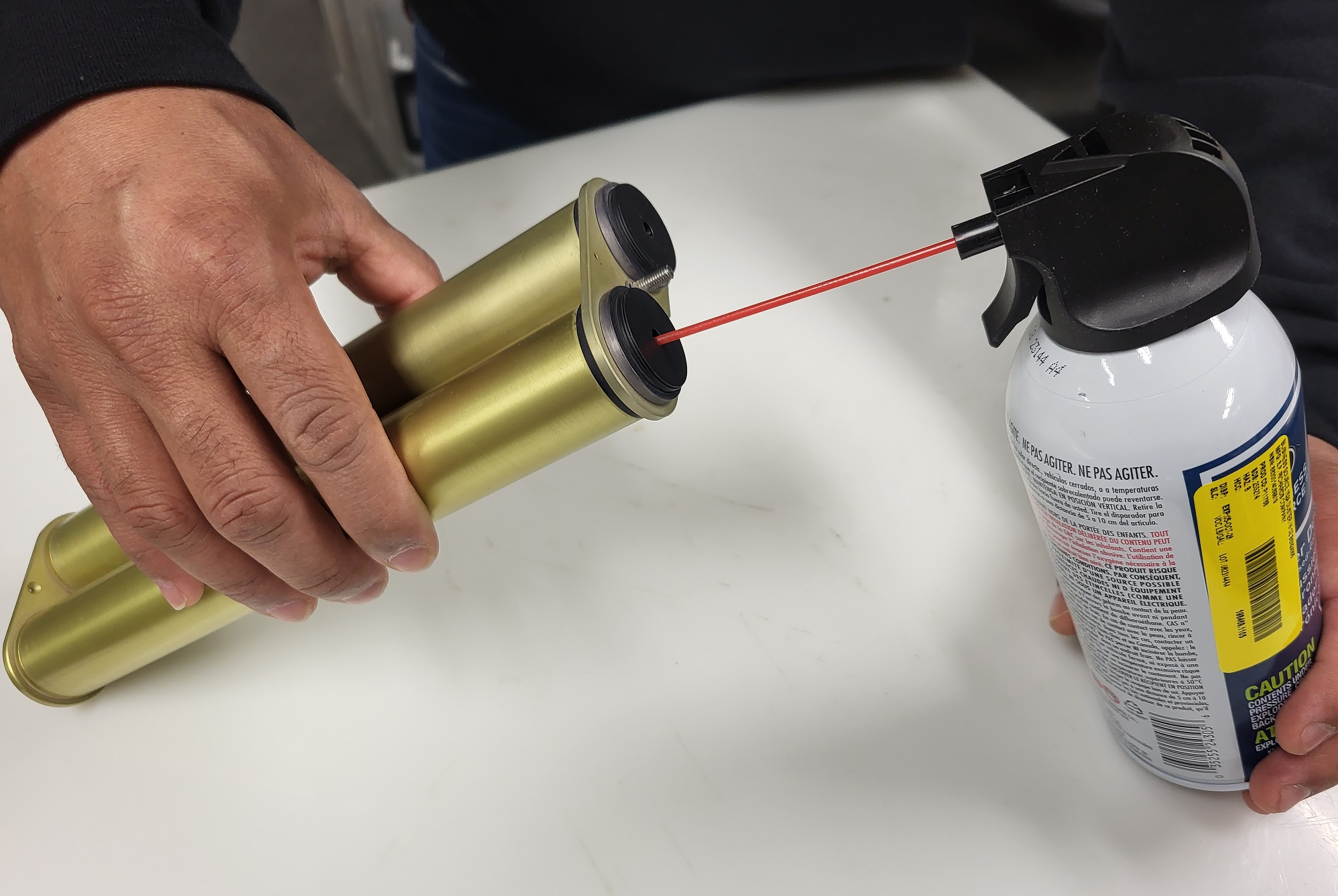
How To Check/Test See collimator cleaning (PDF, JPG).
Solution Level 1 (< 5 minutes) 1. Remove collimator and check inside for webs or other obstructions. 2. Ensure collimator is installed in the correct orientation.
Solution Level 2 (more involved) 1. Inspect the lenses for significant contamination or residue. If found, do not clean. Take a picture and send to AERONET.
Solution Level 3 (last resort) 1. Confirm that the gains have not been changed (ask AERONET) - Model 5 only. 2. Return instrument for maintenance.